Meetings, videos and documents — into notes you can search.
Record a meeting, paste a YouTube or web link, add a picture or a recording. LimoNote transcribes it, summarises it, translates it to nearly any language and keeps it in the cloud, on every device.
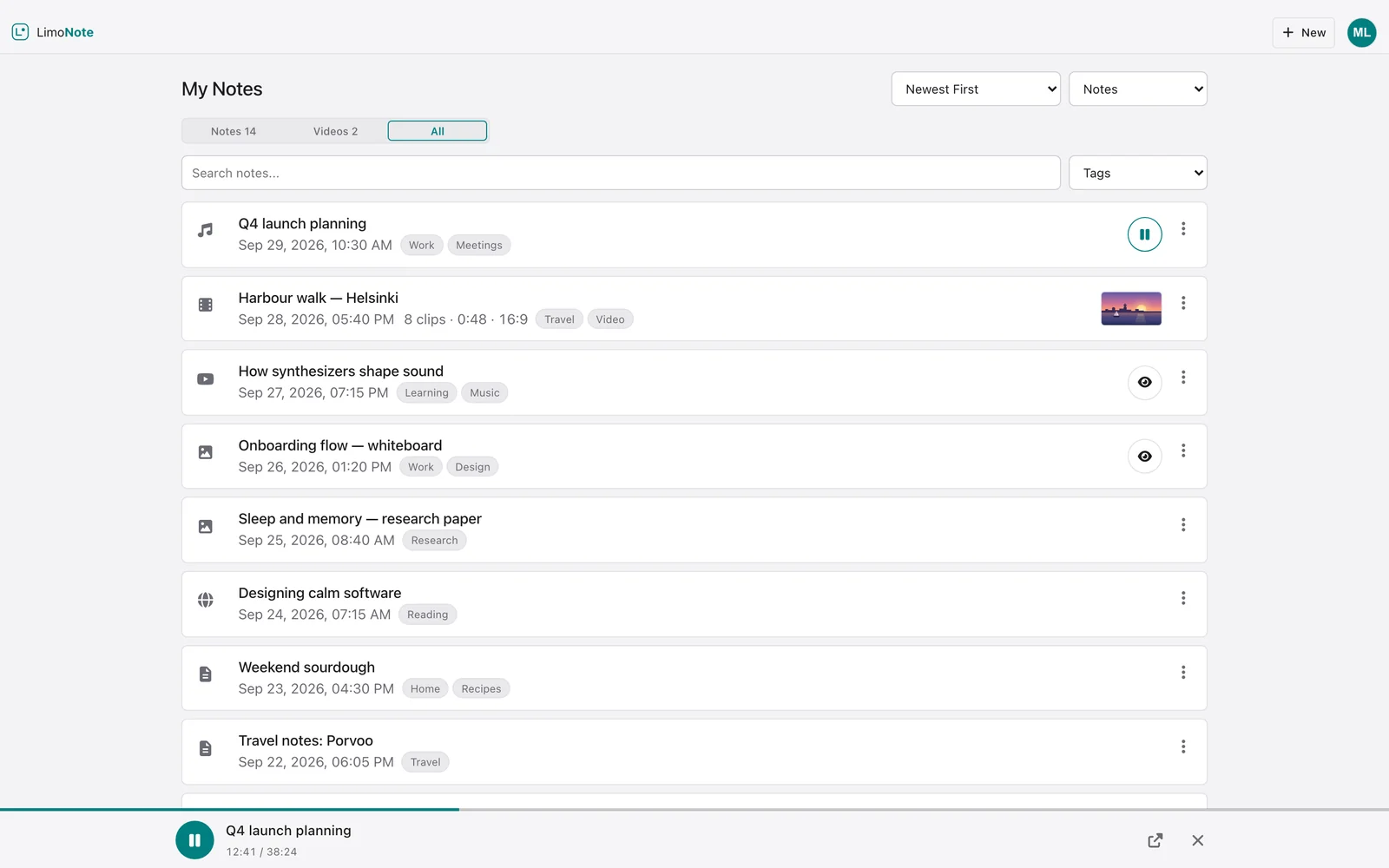
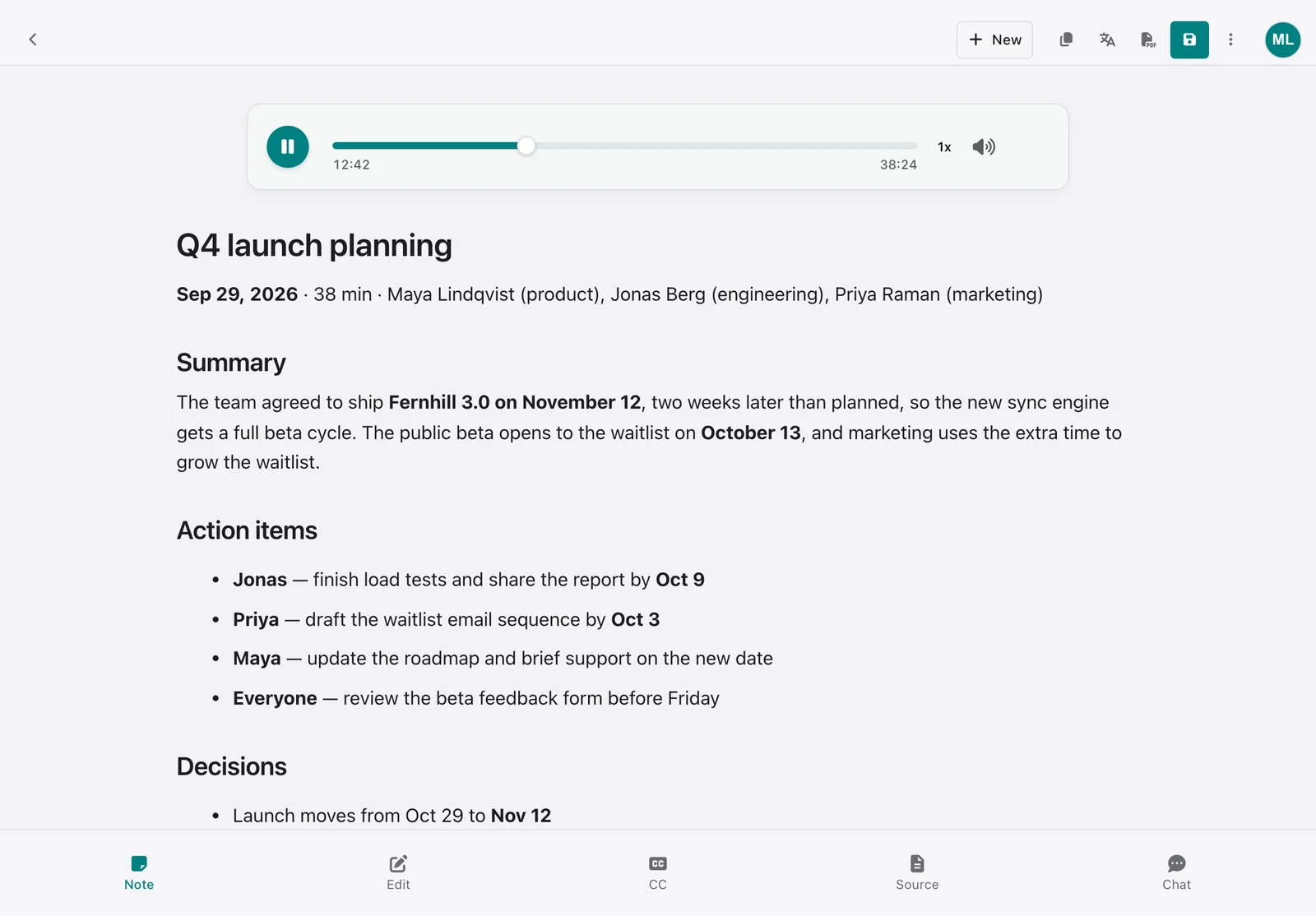
Record & transcribe
Meetings, lectures, calls and voice memos.
Record from the microphone, capture the sound of a meeting in another tab or app, or upload a recording or a video. LimoNote detects the language, writes a timestamped transcript and a summary of the key points — with the recording playing right beside it. Record for hours, straight to your device; recordings up to 60 minutes get a transcript and a summary.
MICROPHONE · TAB & SCREEN AUDIO · AUDIO & VIDEO FILES · AUTO LANGUAGE · SUMMARIES
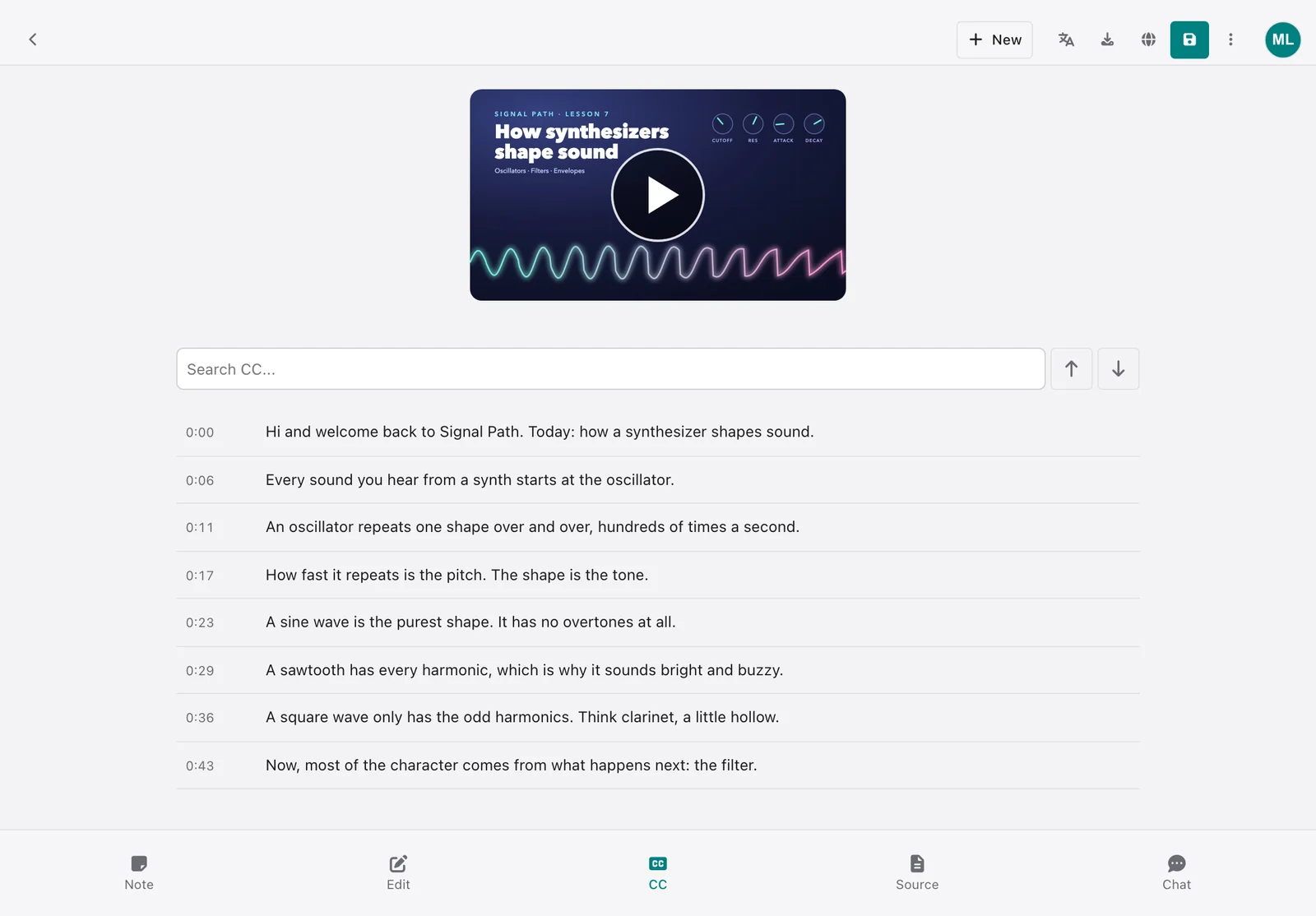
YouTube to text
Any video with captions, in its own language.
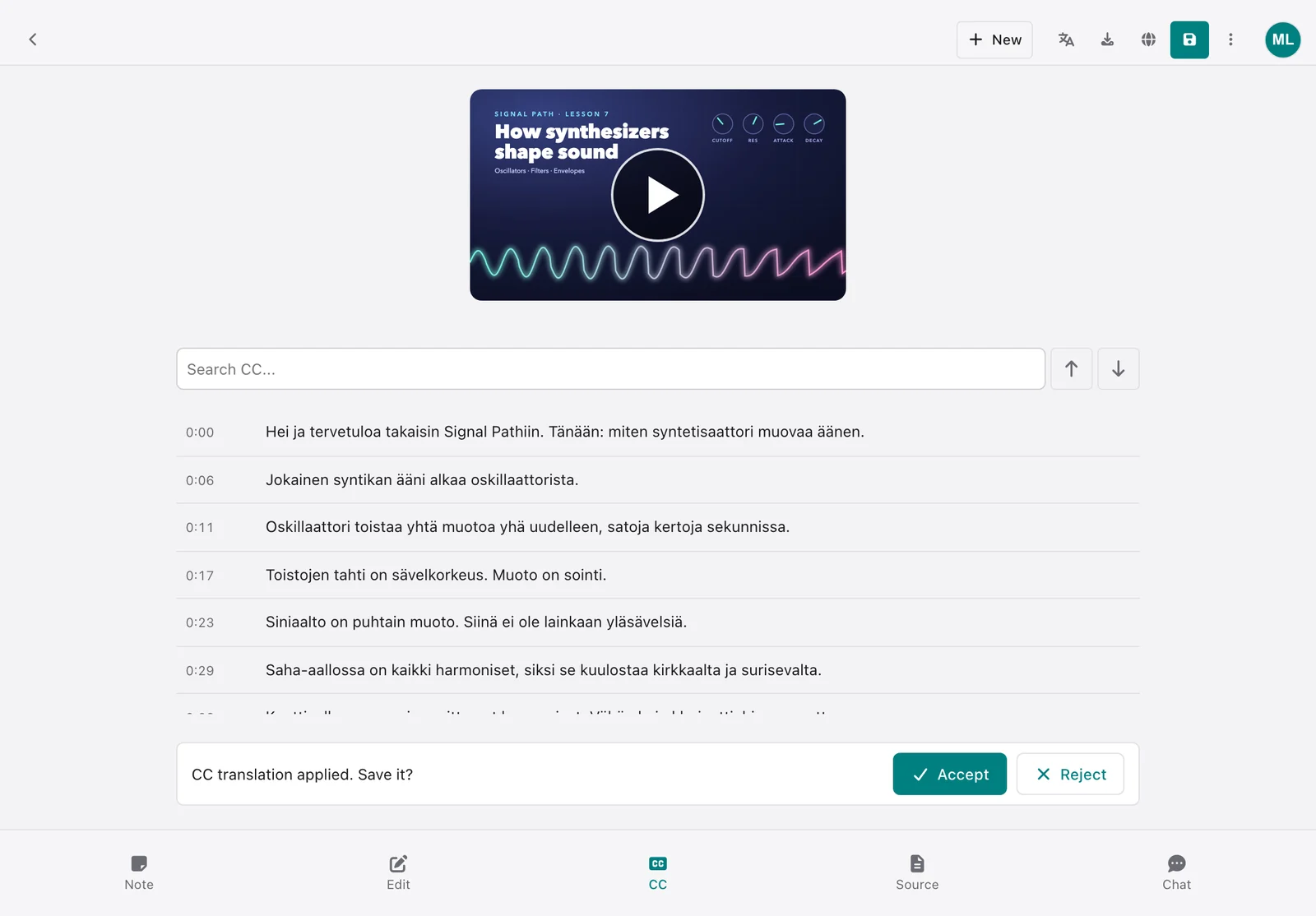
Paste a link and the video becomes a note: its captions as a searchable transcript with timestamps, in any caption language the video offers, a summary you can translate, and caption files for SRT, LRC or ASS.
TRANSCRIPT · TIMESTAMPED CC · SRT · LRC · ASS
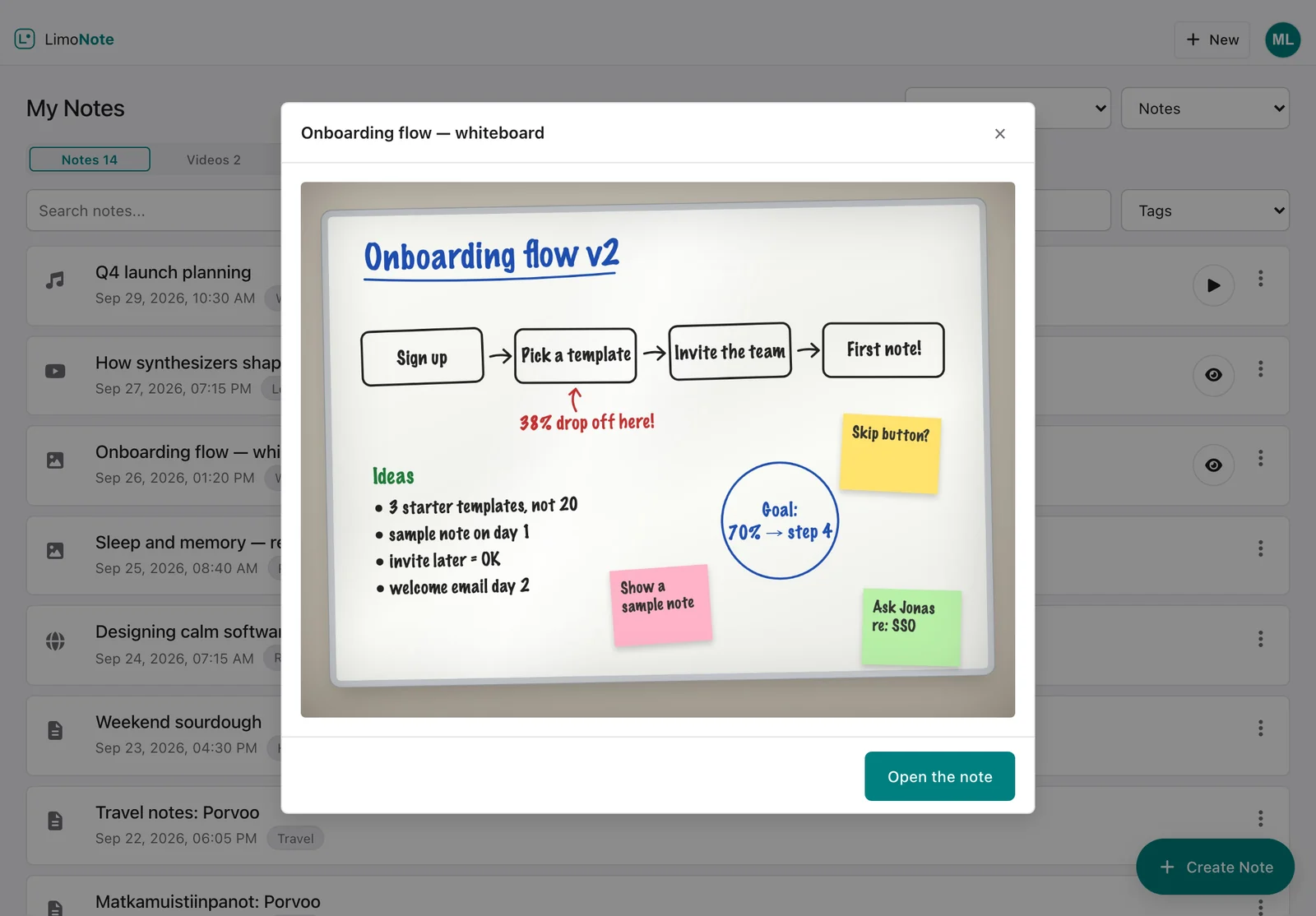
Play it from the list
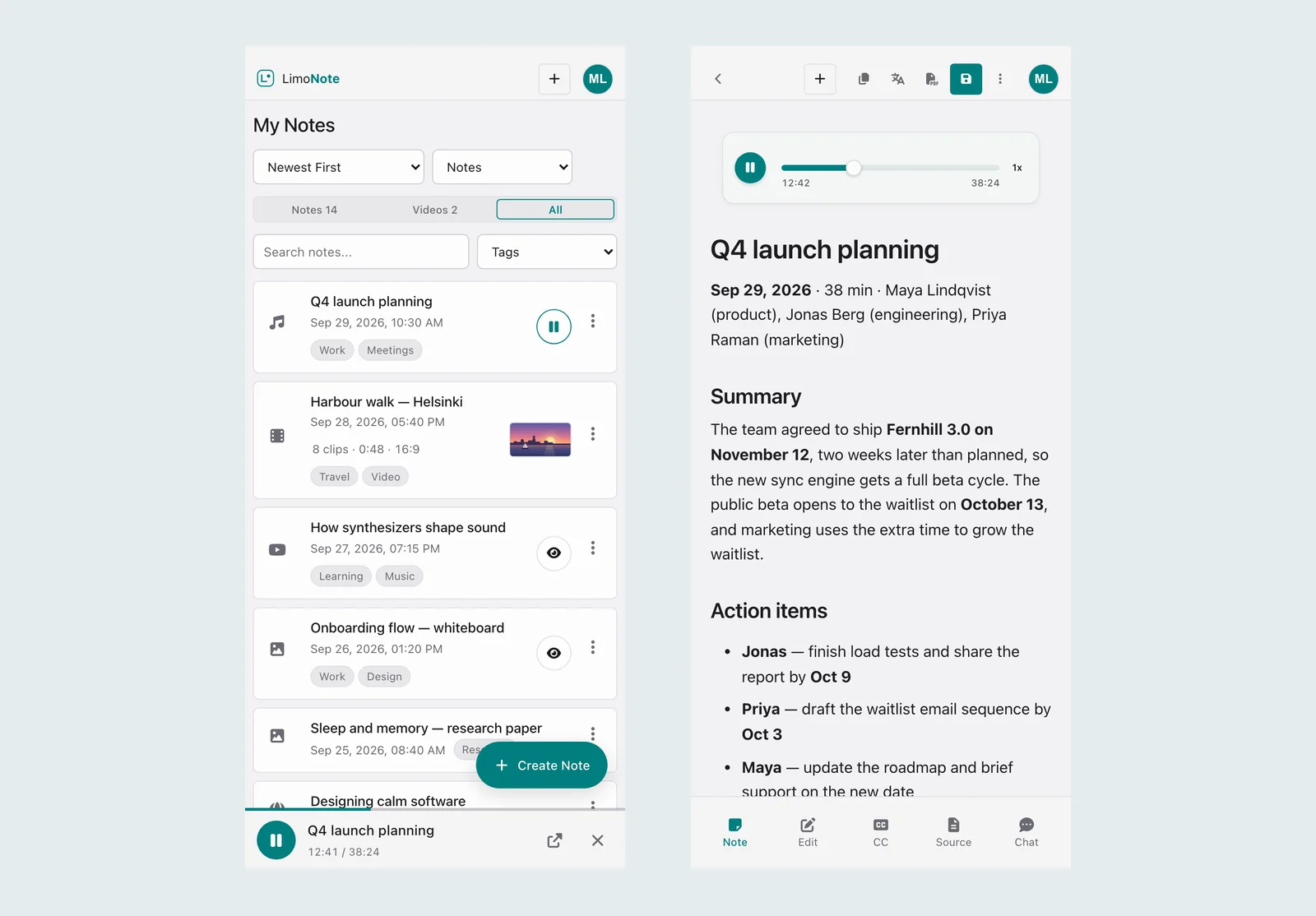
Listen and preview without opening a thing.
Press ▶ on a recording in your notes list and it plays in a bar at the bottom while you keep browsing; open the note and it carries on where you were. Pictures and YouTube videos open in a quick look, and your videos show their poster.
PLAY BAR · QUICK LOOK · VIDEO POSTERS · NOTES / VIDEOS / ALL
Translate & caption
Nearly any language, and back.
Translate a note or its captions into nearly any language, export the captions for your video editor, make a PDF of the note, or share it with a link anyone can open.
TRANSLATION · CC EXPORT · PDF · SHARE LINKS

From note to video
Make a video, finished in LimoStudio.
Turn a recording into a captioned video with a soundwave and a title, or a written note into slides. Make a video builds the project, copies your recording into it and opens it in LimoStudio, ready to edit and export.
SOUNDWAVE · CAPTIONS · SLIDES · OPENS IN LIMOSTUDIO
On every device
The browser, your phone, your home screen.
The same notes in any browser, as an installed web app or in the LimoNote app for iPhone. They live in your account’s cloud storage, so a recording made on the phone is waiting on the laptop. Light, dark and e-ink themes.
WEB · PWA · IOS · LIGHT / DARK / E-INK
Nine things it does well
Every source becomes the same thing: a searchable, summarised, translatable note.
Record & transcribe meetings
Record from the microphone, or capture the sound of a meeting in a browser tab or on your screen. You get a timestamped transcript and an AI summary, with automatic language detection.
YouTube to text & CC
Turn a YouTube video's captions into searchable text with timestamps, in any caption language the video offers. Export them as SRT, LRC or ASS files for your projects.
Universal translation
Translate your notes, transcripts, and summaries to nearly any language. Perfect for international teams, language learning, or global content creation.
Audio & video files
Upload a recording or a video — a meeting, a lecture, a podcast episode. It is transcribed and summarised with automatic language detection, and the file stays with the note to play back.
PDF & image to text
Extract the text from a photo, a scanned page or a PDF of up to 30 pages — read page by page on your device — or let the AI turn it into a structured, searchable note.
Cloud storage included
Your audio files, documents, and notes are stored in the cloud and encrypted at rest. Open everything from any device, any time.
Export CC files
Create closed caption files (SRT, LRC, ASS) for music, videos, or any media. Perfect for content creators, video editors, and accessibility needs.
AI-powered summaries
Get a structured summary of the key points for quick reviews, meeting follow-ups or study — then ask the note's chat anything about it.
Secure & private
Content is encrypted at rest with AES-256, we store only what the service needs, and payments never touch our servers. Your data rights are laid out in the privacy policy.
How it works
Four steps, and the middle two run by themselves.
Record, upload, or share
Record from the microphone or a meeting tab, upload an audio or video file, paste a YouTube or web link, or add a picture or a PDF.
Transcription & processing
Audio is transcribed in any language with automatic detection, documents become text, captions get timestamps, and the summary lands as structured bullet points.
Translate & export
Translate the result to nearly any language, export CC files (SRT, LRC, ASS), or generate a PDF. Everything is saved to cloud storage as you go.
Open it anywhere
Your notes, transcripts, and files follow you to every device. Share a note with a link, search through everything, or export in the format you need.
Notes are free. Credits pay for the AI.
Unlimited text notes, the Markdown editor, 2 GB of cloud storage and sharing cost nothing. AI features spend credits.
Always free
- Unlimited text notes
- Full Markdown WYSIWYG editor
- 2 GB of cloud storage, access from any device (more with storage packs)
- PDF export, caption export and note sharing
- 500 starter AI credits, no card needed
With credits
- Transcripts and summaries of recordings and audio or video files
- YouTube to text with timestamped captions
- Picture and PDF text extraction
- Translation and web page summaries
- Chat with a note, and AI edits
Credits pay for the AI servers we run on your behalf; the exact price is computed before every call and a call is refused before anything is sent if your balance is short. Subscription credits refresh each period and are spent first; pack credits are valid for one year from purchase.
Stop missing the details.
Professionals, students, and content creators use LimoNote to turn hours of audio, video, and reading into notes they can act on. Start with 500 free credits.